changelog · 26 November 2026
The biggest de:volt release yet: 3D breadboards, Arduino coding, a new oscilloscope and more
Build and wire circuits in 3D, write and debug real Arduino sketches in your browser, decode Serial, I2C and SPI on a redesigned oscilloscope, program an FPGA, and share any circuit with a single link.
This is the largest update de:volt has ever shipped.
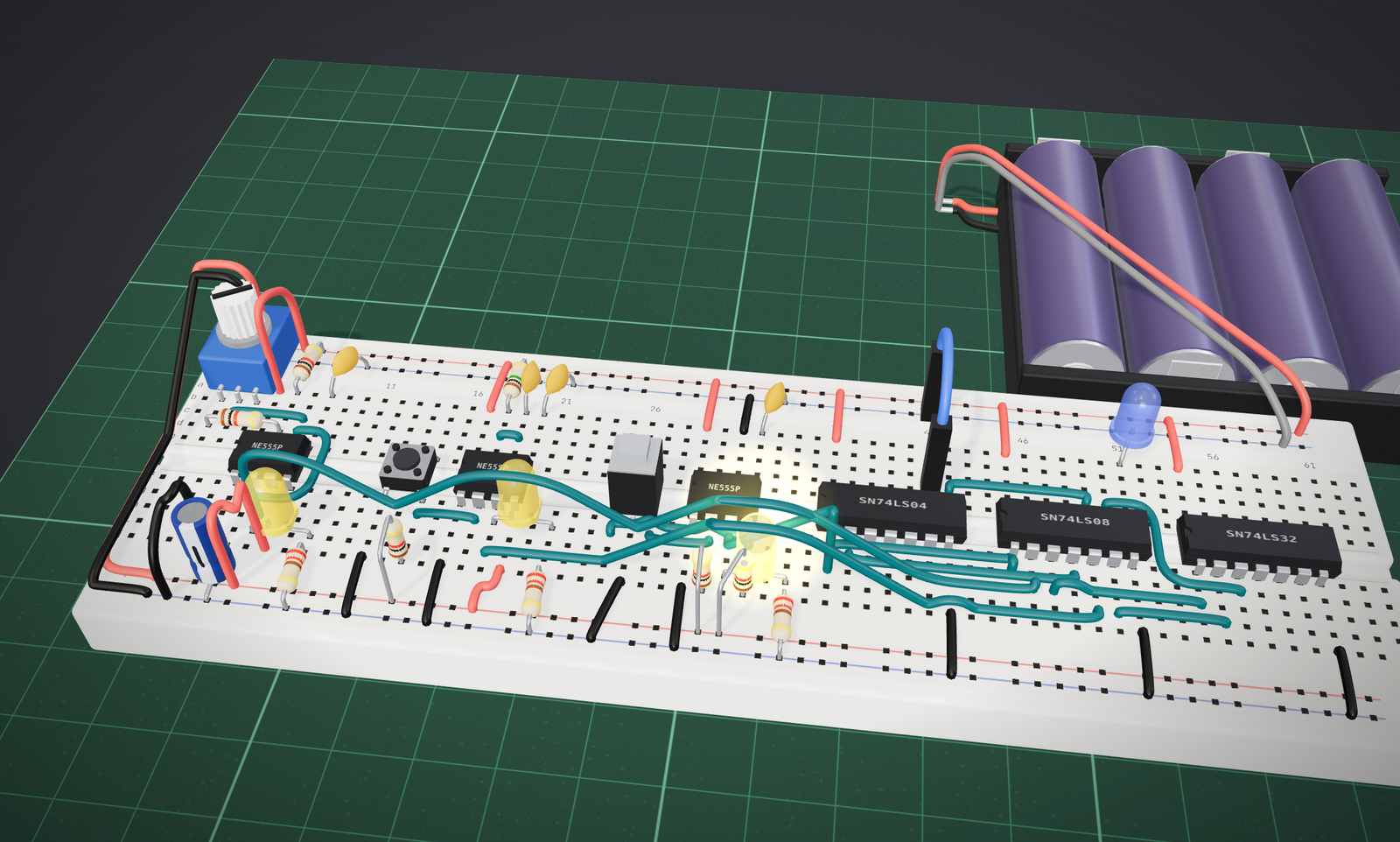
Your breadboard, in 3D
Press 3D at the top-left of the workspace and your circuit stands up off the screen. Every part in the catalog has a real-size 3D model, from resistors with the right colour bands to an Arduino Uno with its headers and USB jack. You can orbit, zoom, place parts, draw wires, bend LED legs, turn knobs and press buttons, all while the simulation keeps running. Wires lie on the board, climb over chips and arch as Dupont jumpers, the way they do on a real bench. Read about the 3D view, or follow the hands-on 3D tour.
Parts drawn at their real size
The Arduino Uno, potentiometers, trimmers, the buck converter module and the motor driver breakout are now drawn to their datasheet dimensions in 2D and 3D, so a board that fits in de:volt fits on your desk. Parts also can't be stacked on top of each other any more. See what changed.
Arduino: write it, compile it, debug it
The Arduino Uno now takes your own sketches. Write code in the Sketch tab, press Upload, and it is compiled right in your browser with the same compiler the Arduino IDE uses, then runs on the simulated board. A Serial Monitor and Plotter show what your sketch prints, and a line-by-line debugger lets you set breakpoints, step through code and watch your variables change. Read about the Arduino compiler, then try your first sketch with the Serial Monitor and debugging a sketch line by line.
New sensors and a display
Four new parts join the catalog: an SSD1306 OLED display, a BMP280 temperature and pressure sensor, and the DHT22 and DHT11 humidity sensors. They work with the same Adafruit libraries you would use on real hardware. Build a small weather station with them.
A redesigned oscilloscope
The scope now gives the waveform the room. Channels sit in a row of chips above the plot, the trigger lives in a popover, and Measure, Cursors, FFT and Decode switch on independently. New tools come with it: an FFT spectrum, math channels (A − B, A + B, A × B, A ÷ B), and protocol decoding that shows the bytes your Arduino sends over Serial, I2C and SPI. See the new scope, or learn to read your Arduino's conversations on it.
An FPGA board
The UPduino v3.1 brings a real iCE40 FPGA to the breadboard. Write Verilog, press Synthesize, and your design is built in your browser and runs on the simulated chip, driving LEDs and anything else you wire to it. Meet the UPduino, or start with what an FPGA is.
Share with a link, work offline
File > Copy link to circuit packs your whole circuit into a link you can paste anywhere. Nothing is uploaded, so it works for guests too. de:volt also keeps working when your connection drops. Read about share links and offline use.
Faster and more accurate
More of your circuits now run on our fastest simulation engine, battery-powered boards run quicker, logic chips switch with their real datasheet delays, and Arduino serial and I2C traffic takes the time it takes on the real chip. The details, in plain language.
And the small things
One drag is now one undo step, dropdown menus keep their look, and a few rough edges are gone. The list of fixes.
Everything above is live now at sim.devoltapp.com. Open a circuit, press 3D, and have a look around.